
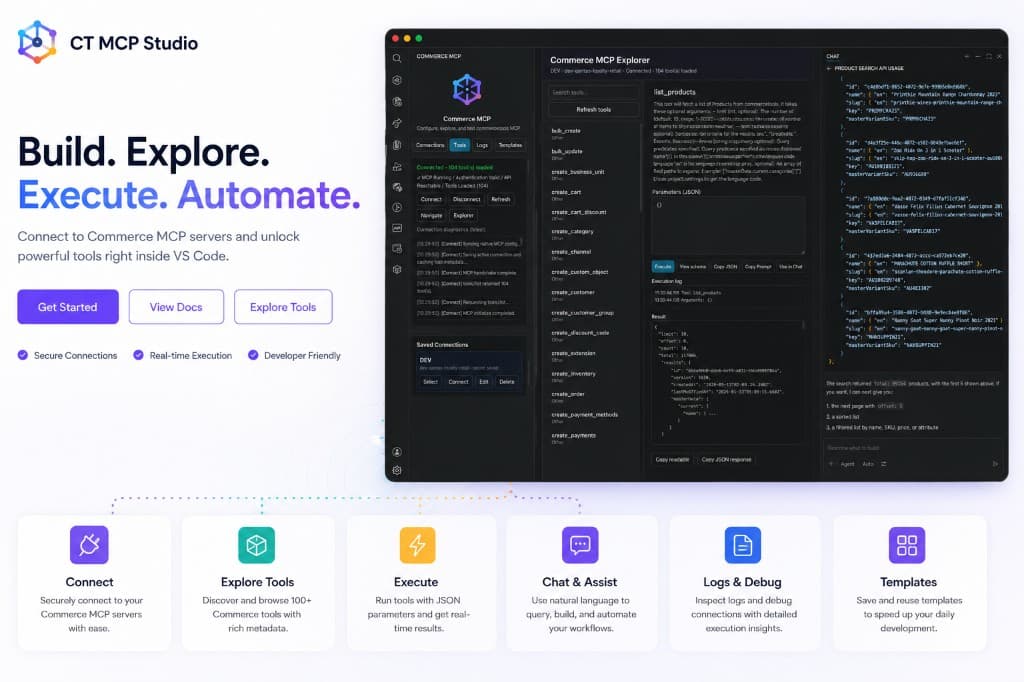
Connect, explore, and run MCP tools from your editor.
Download the VSIX, connect your commercetools project, and browse Commerce MCP tools without leaving VS Code.
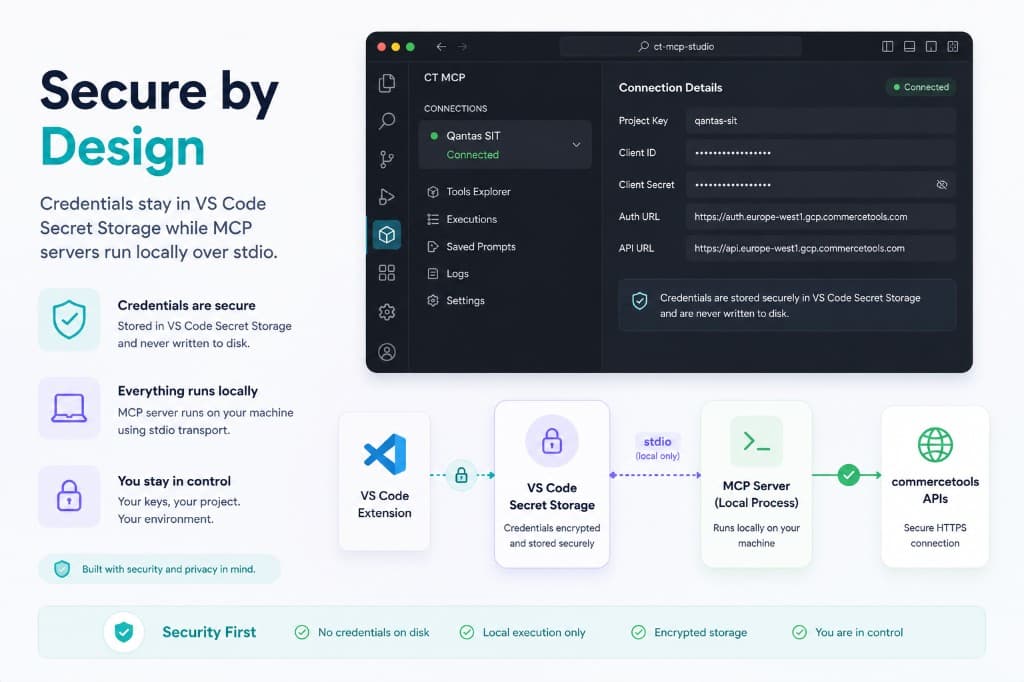
Secure by Design
Credentials stay in VS Code Secret Storage while MCP servers run locally over stdio.
- 🛡️
Credentials are secure
Stored in VS Code Secret Storage and never written to disk.
- 💻
Everything runs locally
MCP server runs on your machine using stdio transport.
- 🔒
You stay in control
Your keys, your project. Your environment.
Built with security and privacy in mind.
Security First
- No credentials on disk
- Local execution only
- Encrypted storage
- You are in control
Developer Friendly
Browse tools dynamically, run MCP calls in a playground, and sync native VS Code Chat config.
- 🧩
Browse Tools Dynamically
Discover all available MCP tools from your connected server.
- ⌨️
Run in Playground
Fill parameters, execute calls, and get structured responses.
- 💬
Use in VS Code Chat
Generate prompts and copy directly to your chat.
- 🔄
Sync Natively
One click to sync MCP server to VS Code Chat configuration.
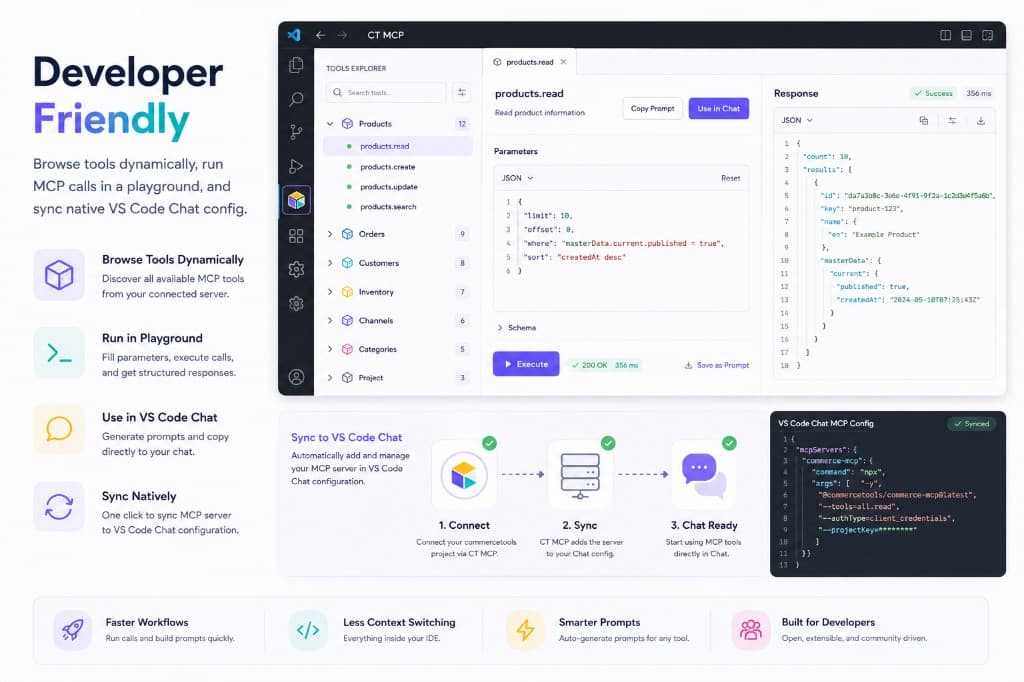
Sync to VS Code Chat
Automatically add and manage your MCP server in VS Code Chat configuration.
- 1
Connect
Connect your commercetools project with Commercetools MCP Plugins.
- 2
Sync
Commercetools MCP Plugins adds the server to your Chat config.
- 3
Chat Ready
Start using MCP tools directly in Chat.
Faster Workflows
Run calls and build prompts quickly.
Less Context Switching
Everything inside your IDE.
Smarter Prompts
Auto-generate prompts for any tool.
Built for Developers
Open, extensible, and community driven.
Ready to supercharge your Commerce MCP experience?
Download Commerce MCP Studio, connect your commercetools project, and explore MCP tools from a single VS Code extension.